
Apple TV
Follow this guide to ensure your Apple TV works with Pine Belt TV.
Pine Belt TV works on Apple TV 3rd Generation, Apple TV 4K or Apple TV HD.
If you need help identifying which Apple TV you have, click the “Apple Device” button below.
If you’re setting up your Apple TV for the first time, all you need is:
- An internet connection
- An Apple ID (if you don’t have an Apple ID, click here to create one for free)
- A TV or other display with an HDMI port
- An HDMI cable (on Apple TV 4K, you need an HDMI 2.0 or later compatible cable)
Apple has very helpful instructions to get your Apple TV up and going in no time:
Install Pine Belt TV to your Apple TV from the App Store
Now that your Apple TV is all set up, go to the App Store. The App Store app icon looks like this:
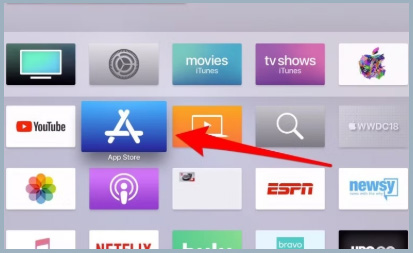
- From within the App Store search for Pine Belt TV, highlight and select the app to begin downloading.
- While an app is downloading or updating, its icon appears on the Home screen with a progress indicator. Once it’s done downloading, select Open to launch Pine Belt TV.
- Make sure you’re connected to your Pine Belt TV provided internet.
- Pine Belt TV needs to be connected to the internet provided to your home by Pine Belt in order to access your entire TV lineup.